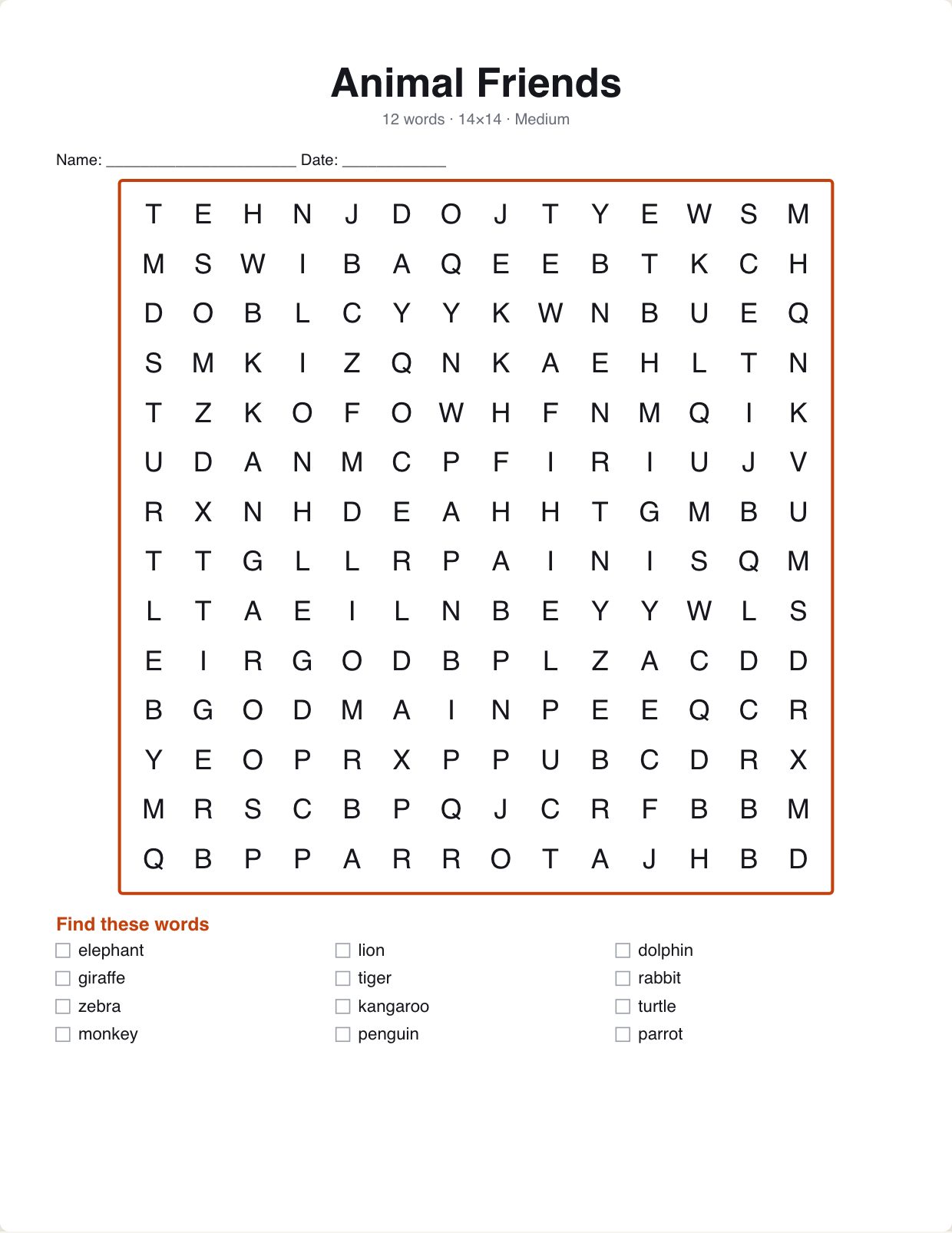
How to make a word search in four steps
- Add your words. Type or paste them into the box, one per line or separated by commas. Spelling lists, vocabulary from a unit, names of guests at a party: anything works.
- Pick a grid size. The slider runs from 8×8 to 20×20. The grid has to be at least as wide as your longest word, so a list containing “constellation” (13 letters) needs a 13×13 grid or larger.
- Choose a difficulty. Easy places words only left-to-right and top-to-bottom. Medium adds diagonals. Hard lets words run in all eight directions, including backwards.
- Download or print. Download PDF saves a print-ready file. Print opens the same file in your browser’s viewer, where you can print it directly. Tick Add answer key page if you want a second page with every word highlighted.
The preview updates as you type, so you can see exactly how the sheet will look before you print anything. If you don’t like where the words ended up, press Shuffle for a new arrangement that uses the same words and settings.
Choosing words that make a good puzzle
A word search is only as good as its word list. A few things make a noticeable difference:
- Mix word lengths. A list of all four-letter words produces a flat, repetitive puzzle. Combine short words (cat, sun) with longer ones (butterfly, rainbow) so solvers spot some quickly and have to hunt for others.
- Avoid words hidden inside other words. If your list has both “car” and “carpet”, a solver may find “car” inside “carpet” and get confused about which one they’ve found. Keep one or the other.
- Keep the theme tight. Words from one topic (planets, kitchen tools, a book’s characters) make the puzzle feel like a game rather than a random list, and they double as a quick review of the topic.
- Check your spelling. The puzzle prints exactly what you type, which is what you want for a spelling list, but a typo will be faithfully hidden in the grid too.
Picking the right grid size and difficulty
These pairings work well as a starting point. Adjust them to suit your solvers.
| Solver | Grid size | Words | Difficulty |
|---|---|---|---|
| Early readers (ages 5–7) | 8×8 to 10×10 | 6–8 | Easy |
| Ages 8–10 | 12×12 to 14×14 | 10–15 | Medium |
| Older kids and teens | 15×15 to 17×17 | 15–20 | Hard |
| Adults and puzzle fans | 18×18 to 20×20 | 20–30 | Hard |
A larger grid with the same number of words is harder, because the solver has more random letters to scan. A smaller grid packed with words is easier to fill but harder to read, since words cross and share letters. When in doubt, start one step easier than you think. A puzzle someone finishes is more satisfying than one they abandon.
Printing tips
- Use the PDF, not a screenshot. The PDF is drawn at print resolution, so letters stay crisp even on the largest 20×20 grid.
- Check “Fit to page” is off. In your printer dialog, choose Actual size or 100%. The layout already leaves a half-inch margin that suits almost every home printer.
- Print the answer key separately. The answer key is always the second page, so you can print only page 1 for solvers and keep page 2 for yourself.
- Save ink with the dark accent colour. The accent colour is used only for the grid border and headings, so any colour prints cheaply, but the charcoal option is the most economical.
Ideas for classrooms, parties and travel
Spelling and vocabulary practice. Paste this week’s spelling list and hand out the puzzle as a warm-up. Searching for a word means looking at its letter pattern several times, which makes it a low-pressure way to revisit tricky spellings.
Topic review. At the end of a unit, build a puzzle from its key terms (photosynthesis, chlorophyll, stomata) and ask students to write a one-line definition next to each word as they find it.
Party activity. Make a puzzle from guests’ names, inside jokes or things associated with the guest of honour. It’s a good quiet activity while people arrive.
Travel and waiting rooms. Print two or three puzzles at different difficulties before a long car ride or appointment. They need nothing but a pencil.
Early finishers. Keep a folder of puzzles on the current topic so students who finish work early have something useful to do.
Answer keys and checking work
When Add answer key page is on, the PDF includes a second copy of the grid with every hidden word shaded. Use Show answers above the preview to check the key on screen before printing. Because each puzzle is generated from a seed, the answer key always matches the puzzle it was printed with. If you press Shuffle, download a fresh copy of both pages together.
Sharing a puzzle
Share copies a link that rebuilds your exact puzzle: same words, same layout, same settings. The puzzle details live in the part of the link after the #, which browsers never send to a website, so your list stays private. It’s handy for sending a puzzle to a colleague who teaches the same class, or for keeping a copy to reprint next year.
Looking for a group game instead? The bingo card generator makes unique cards from your own list, and our guide on making a word search for your class covers lesson ideas in more depth.